- Case study · Extensions
- 6 technologies
OnlyTools: 10+ automation tools in the browser
 Elvisupdated 5 min read
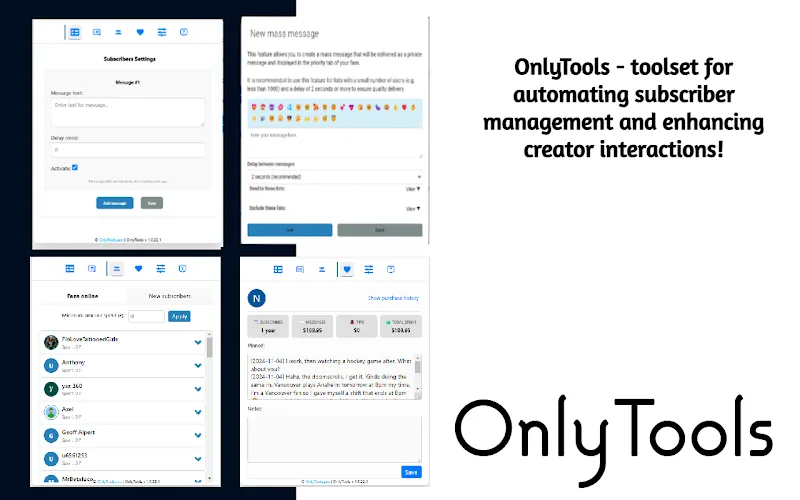
A Chrome extension with reply templates, priority mass messages, chat labels and online audience tracking. It all works inside the platform's interface, so chatters don't have to switch between tabs.
The challenge
A chatter spends the whole workday in chats, and most of that time goes to routine. The same replies have to be typed again or copied from notes. To figure out which fan to message first, you scroll the list by hand, and notes on who's who in a chat stay in your head or in a separate spreadsheet.
The platform's built-in tools weren't enough for this kind of work, and the team didn't want to move to another system: chatters were used to the interface, and any retraining would cost time. The work had to get faster where it was already happening.
Every extra minute spent on chat routine is a minute the chatter didn't spend talking to a fan. With many conversations per shift, the difference adds up.
The solution
I built a Chrome extension with React and TypeScript. It plugs into the platform's working interface and adds more than ten automation features. A chatter installs the extension and keeps working on the familiar screen, only faster.
The extension stores data locally in IndexedDB, so templates and labels open instantly without waiting for a server. Sync runs over REST API, so one chatter's templates are available to the rest of the team. Events such as a fan coming online arrive over WebSocket, and the chatter learns about them as they happen, without refreshing the page.
I built the feature set around a chatter's everyday actions: reply, decide who to message, remember, know who they're talking to. Each tool covers one of these actions and doesn't need a separate screen.
How the system works
Why a browser extension instead of a separate CRM
A separate system would mean a second screen, moving conversations over and retraining the whole team. The extension runs on top of the platform chatters already use and adds tools right where they need them while replying.
For the team, rollout comes down to installing the extension. The workflow stays the same, and only the number of manual steps in it changes. If a chatter doesn't need a feature, they just don't use it, and their usual work isn't affected.
Reply templates synced across the team
A chatter saves frequent replies as templates and inserts them into the chat in one click. Templates sync between team members: a good line one chatter comes up with is available to everyone else right away.
For quick reactions there are emoji hotkeys, keyboard shortcuts for emojis. It's a small thing, but over a full day of chatting it saves noticeable time.
Priority mass messages
Mass messages in the extension go out by priority. The chatter decides who gets the message first and doesn't wait for a send to the whole list to reach the right people.
Chat labels: who's who in your chat list
Each chat can be tagged with a label, so you see right in the list who the person is and how to talk to them. Labels are stored in the extension, so the chatter doesn't need a separate spreadsheet of notes.
Track which fans are online in real time
The extension shows which fans are online right now. Data comes over WebSocket, and the list updates itself. The chatter messages people who are there at that moment, so replies come faster and the conversation doesn't go cold.
Features
- 10+ automation features
- Real-time tracking of online fans
- Priority mass messaging
- Template sync
Results
- 10+ automation features
- Online audience visible in real time
- The extension is published in the Chrome Web Store
Tech stack
- Chrome Extension
- React
- TypeScript
- WebSocket
- IndexedDB
- REST API
Who it is for
Chatter teams that work in chats on one platform all day and want to speed up without changing the interface they're used to.
Project FAQ
Where can I install the extension?
The extension is published in the Chrome Web Store, and the link is on the project page. It installs like any other Chrome extension.
Can you build an extension for my platform or workflow?
Yes. The approach is the same: tools are built into the interface your team already works in, and the feature set is put together for your needs. Describe your process on Telegram, and I'll tell you what can be automated.
What is the extension built with?
The interface is written in React and TypeScript, local storage uses IndexedDB, sync runs over REST API and live updates over WebSocket.
How long does it take to build an extension?
It depends on the number of features and whether you need sync between team members. Message me on Telegram, and we'll go through the feature list and estimate the timeline.
Ready to automate your business?
A 30-minute call: we go through your processes, pick what to automate first and estimate the timeline.
- CRM
- Traffic
- Bots
- AI
- Analytics
- Integrations
- Websites
Need something similar
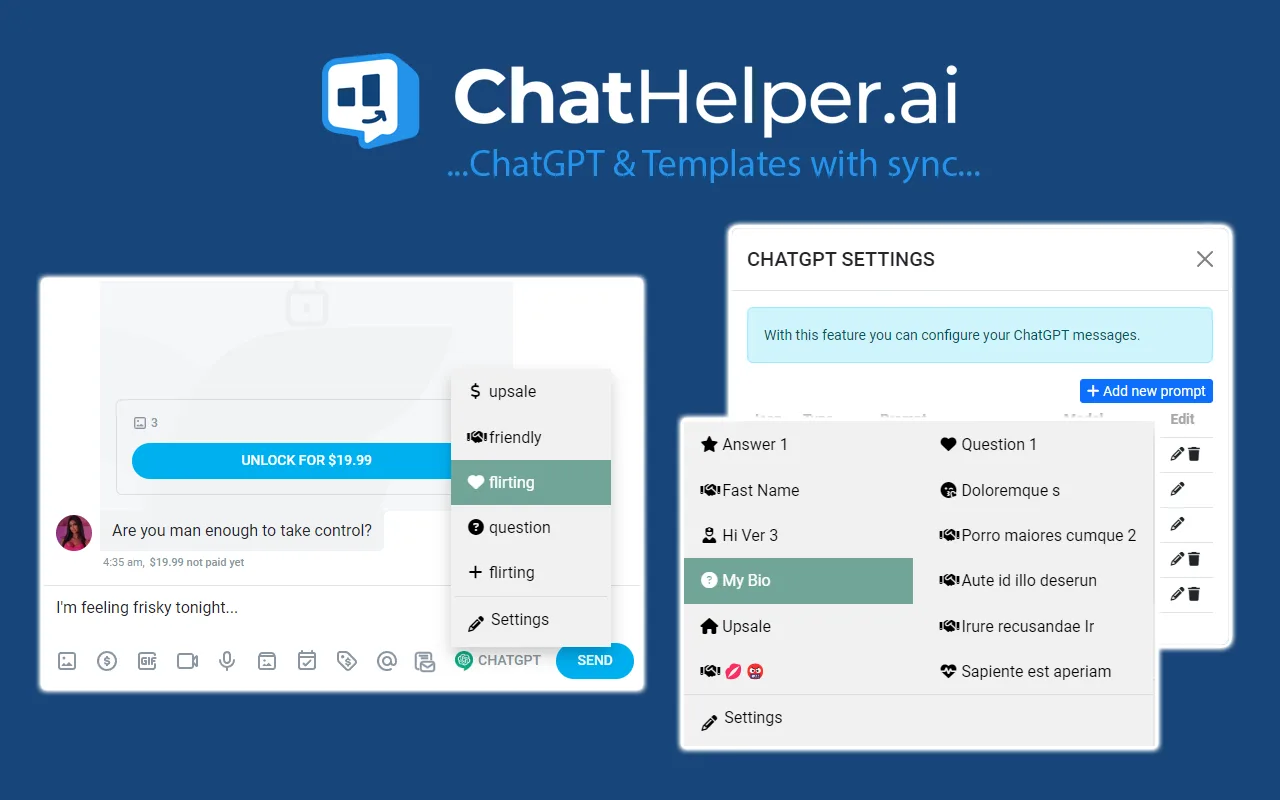
- Extensions · 1000+ usersChatHelperAn extension for OnlyFans chatters: reply templates, ChatGPT, mass messages, a fan profile card and revenue tracking per chatter, all inside the platform's interface without switching tabs.
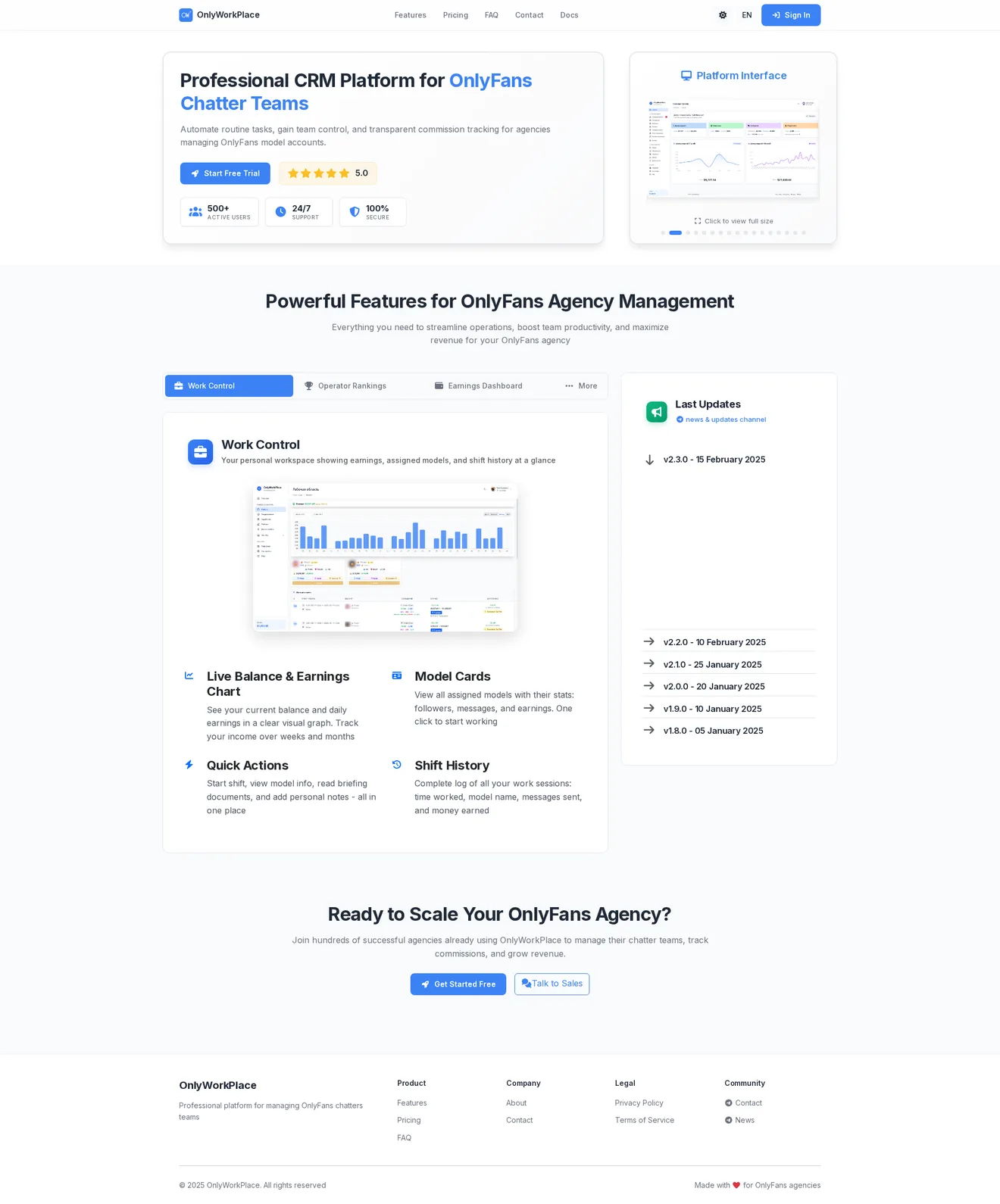
- CRM · 29+ modelsOnlyWorkPlaceA CRM for an OnlyFans agency with a team of chatters working in shifts. Chatters see their shift and earnings, managers watch every shift as it happens, and the owner sees revenue by model and ad ROI on one screen.
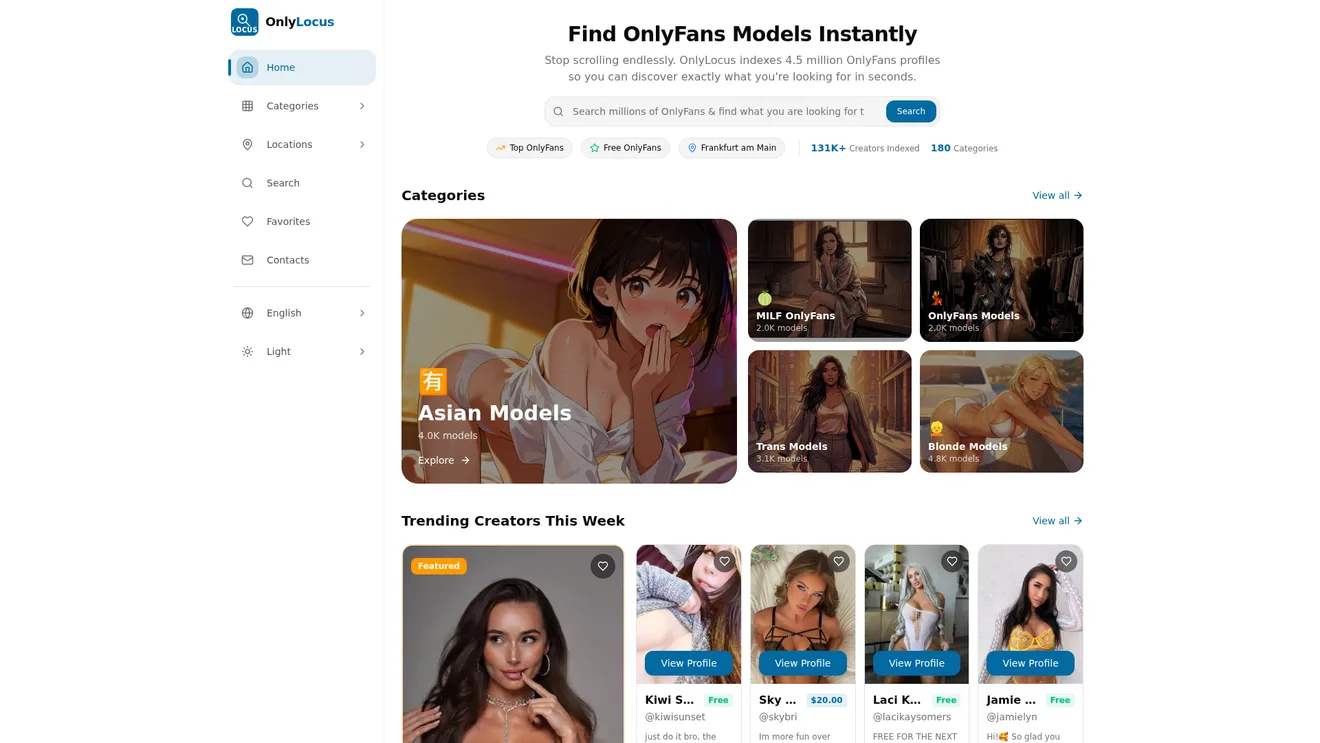
- Web · 4.5M+ profilesOnlyLocusA searchable directory of OnlyFans models with filters by category, country and city, four interface languages and fast results on large data volumes.